Edubricks
Edubricks replaced manual school updates with a seamless platform for parents and teachers— I led the end-to-end design—from branding to app and web—making communication easier for teachers and parents.
UI & UX & Product Design
Project Overview
Client: Ocunapse
Industry: School Management SaaS, Education
Status: Published (2024)
My Role: Lead Product Designer
UX design & interaction flows
Brand identity & logo
Design System
Motion & micro-animations
Marketing website design
User research & market discovery
Overview
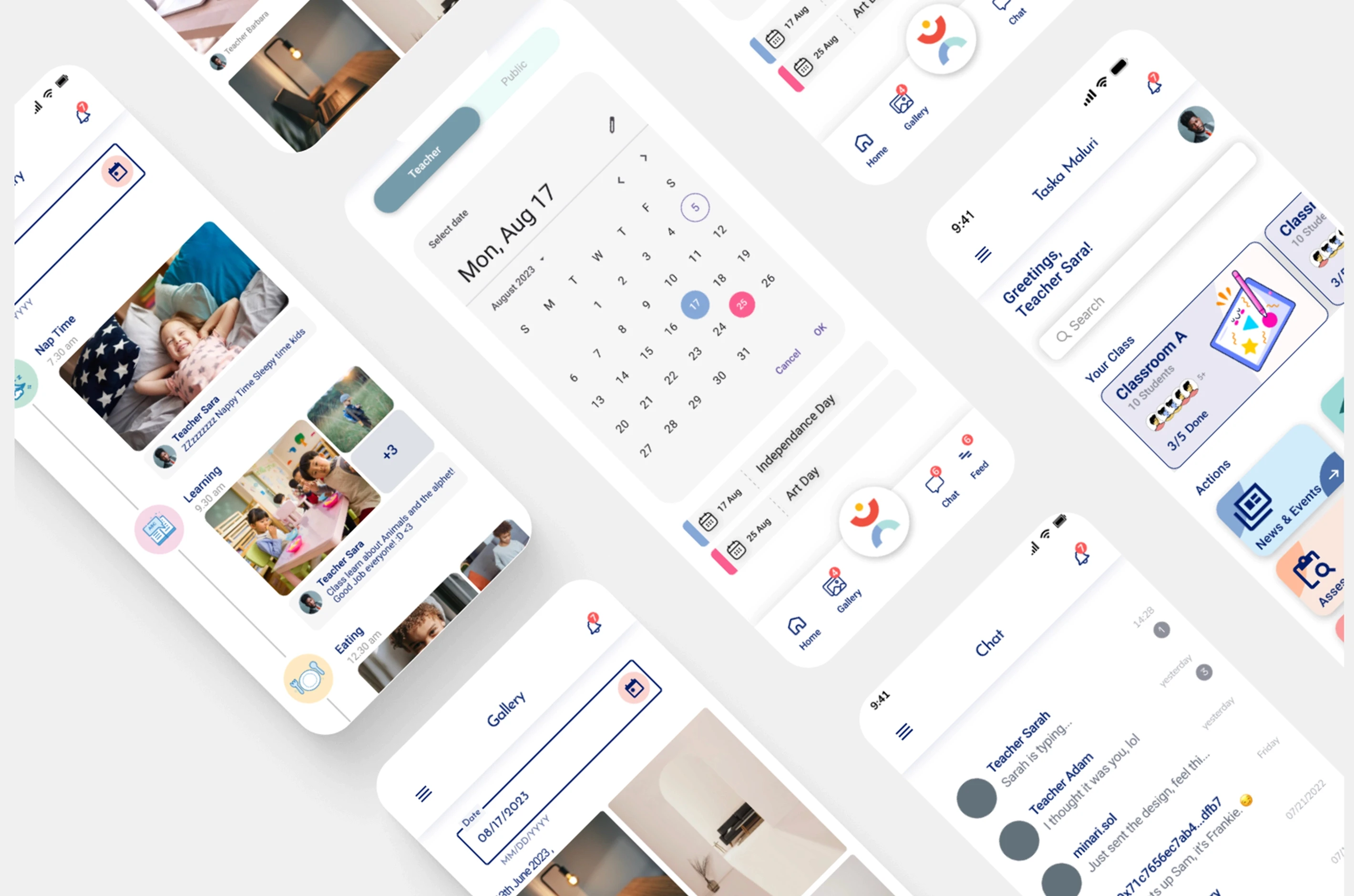
Edubricks is a mobile platform for preschools that streamlines communication between teachers and parents. It centralises schedules, progress updates, messaging, and reports—making daily school communication clear, simple, and parent-friendly.
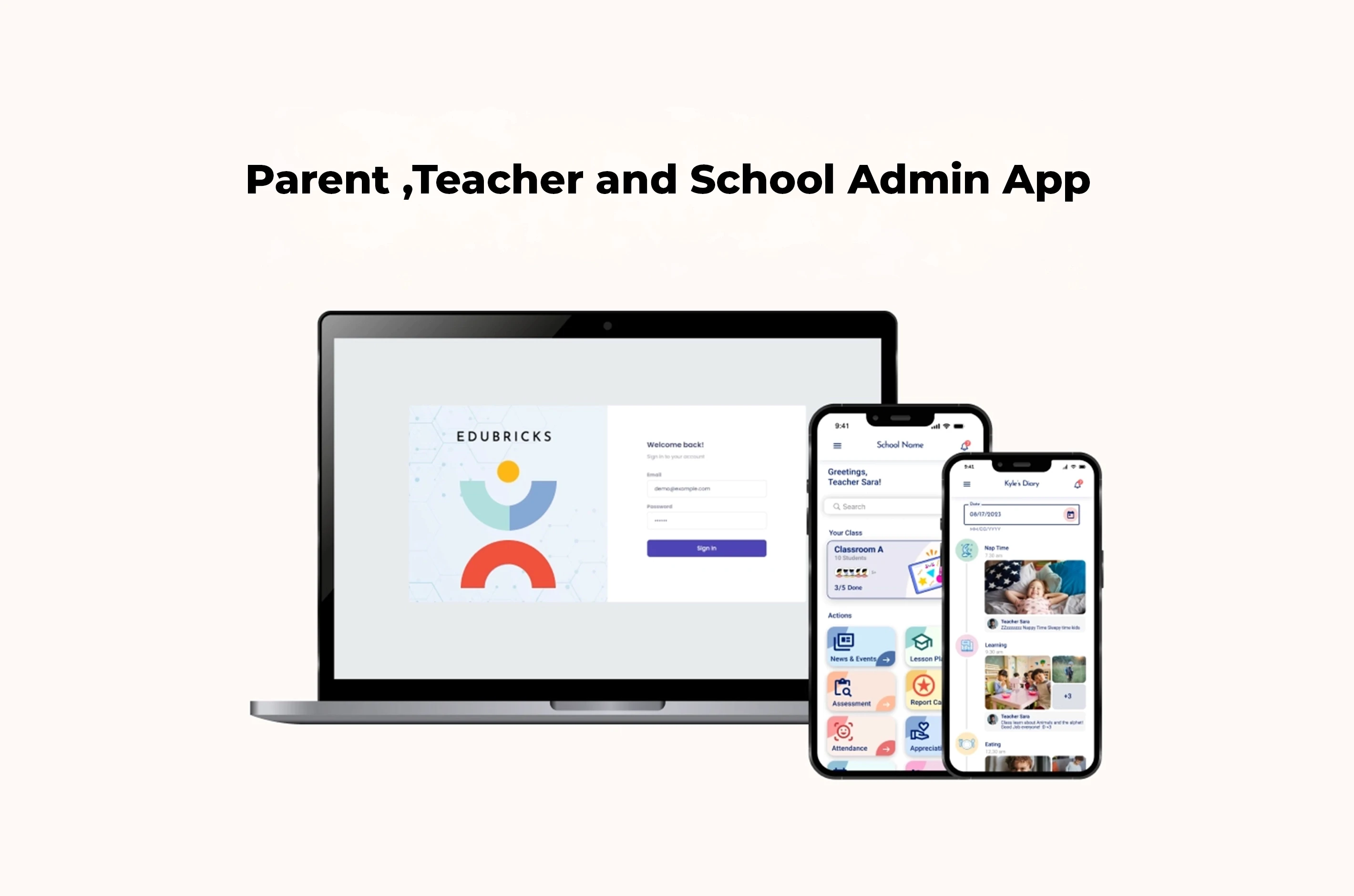
I led the product end-to-end as the sole designer, collaborating closely with a team of developers to bring the system to life. This included brand identity, app UX/UI, motion design, and marketing website, creating a cohesive experience across every touchpoint.
Context
Many preschools still rely on paper report cards, manual updates, and fragmented messaging apps. This leads to missed information, extra administrative work for teachers, and anxious parents.
The opportunity: design a single, trustworthy platform that feels approachable for parents while supporting teachers with a simpler workflow.
Approach
Product Strategy & Design
Defined the product structure and core feature set
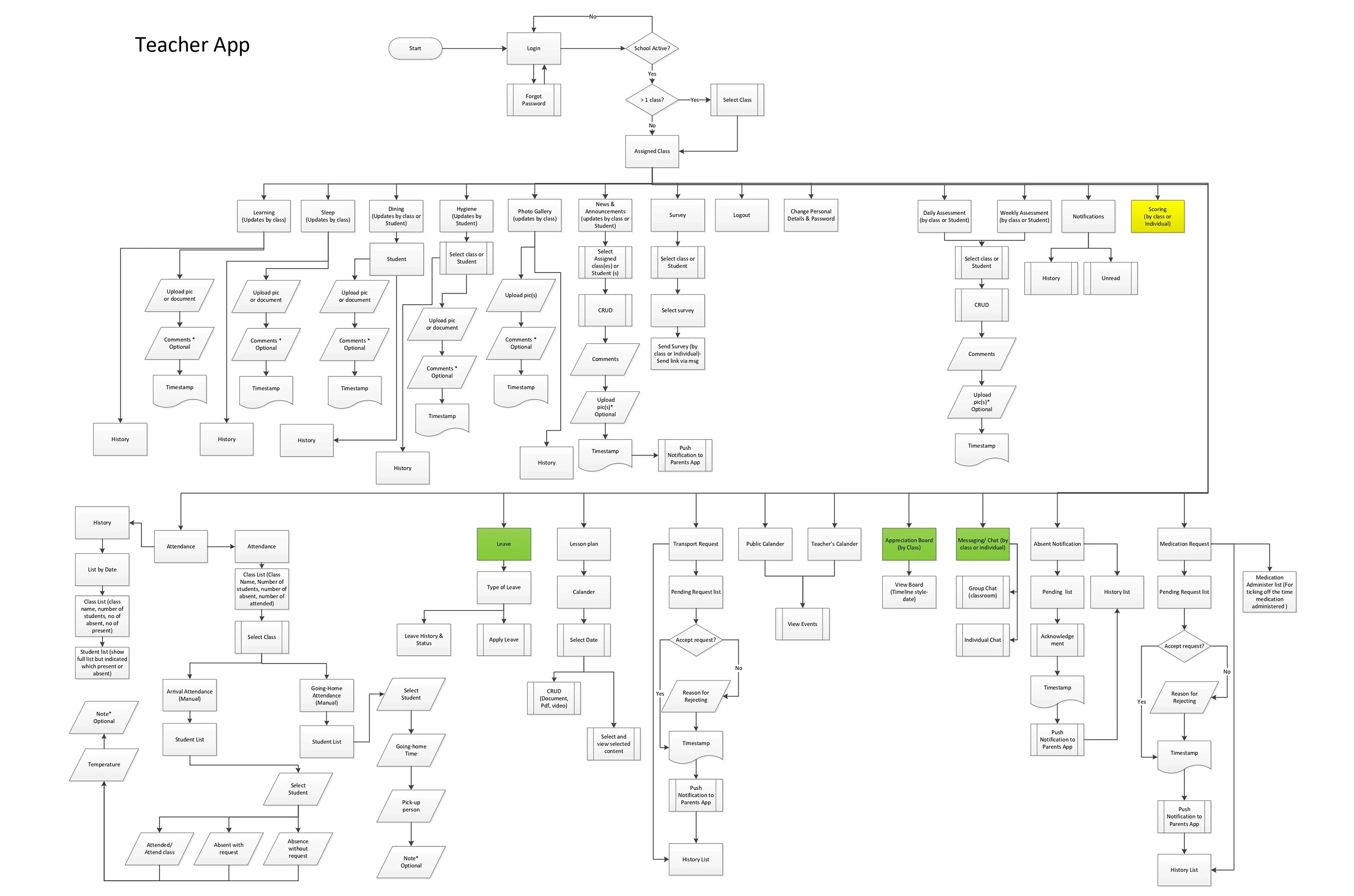
Designed end-to-end user flows for parents and teachers
Built a cohesive system across brand, app, and website
Iterated with developers to refine usability and feasibility
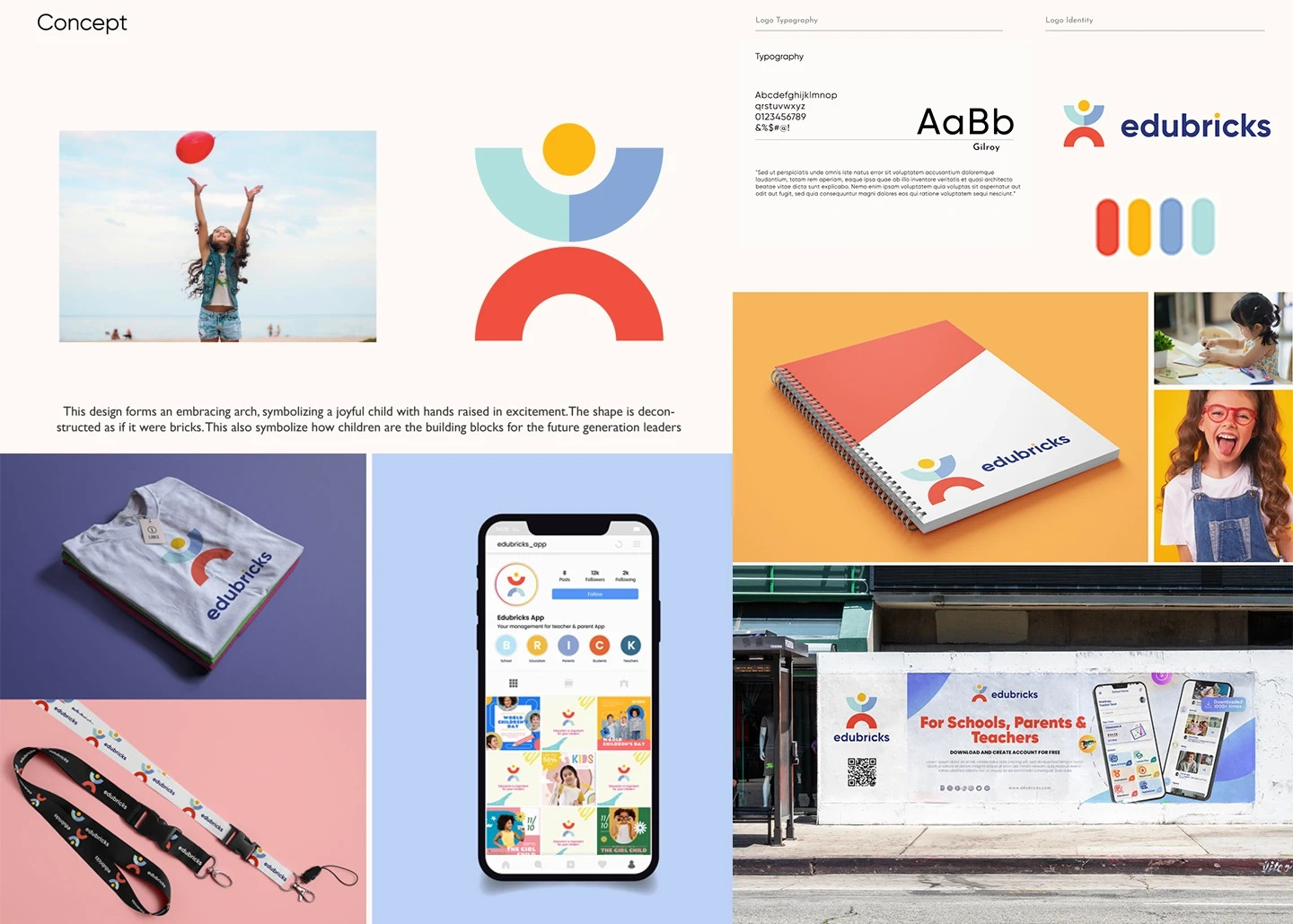
Brand & Visual Identity
Developed a warm, playful, and approachable brand
Designed logo, typography, and color palette to appeal to families
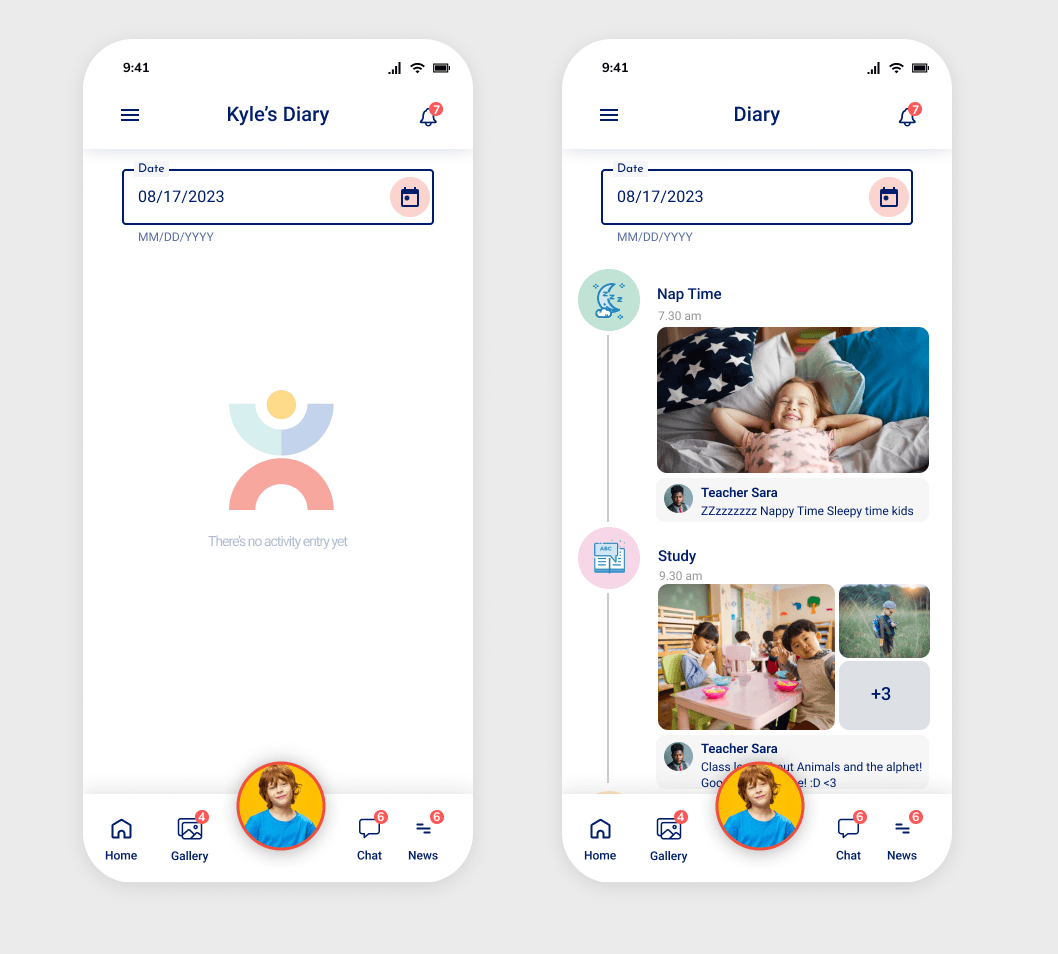
App Objective
To solve this, I designed a feed-based experience — similar to a social or Twitter-style timeline — where teachers can post quick updates about activities like meals, naps, or learning sessions. This allows parents to easily check updates in real time without needing multiple channels.
Challenges
One of the main challenges in this project was making it fast and easy for teachers to post updates, because posting frequently could easily become disruptive to their daily routine.
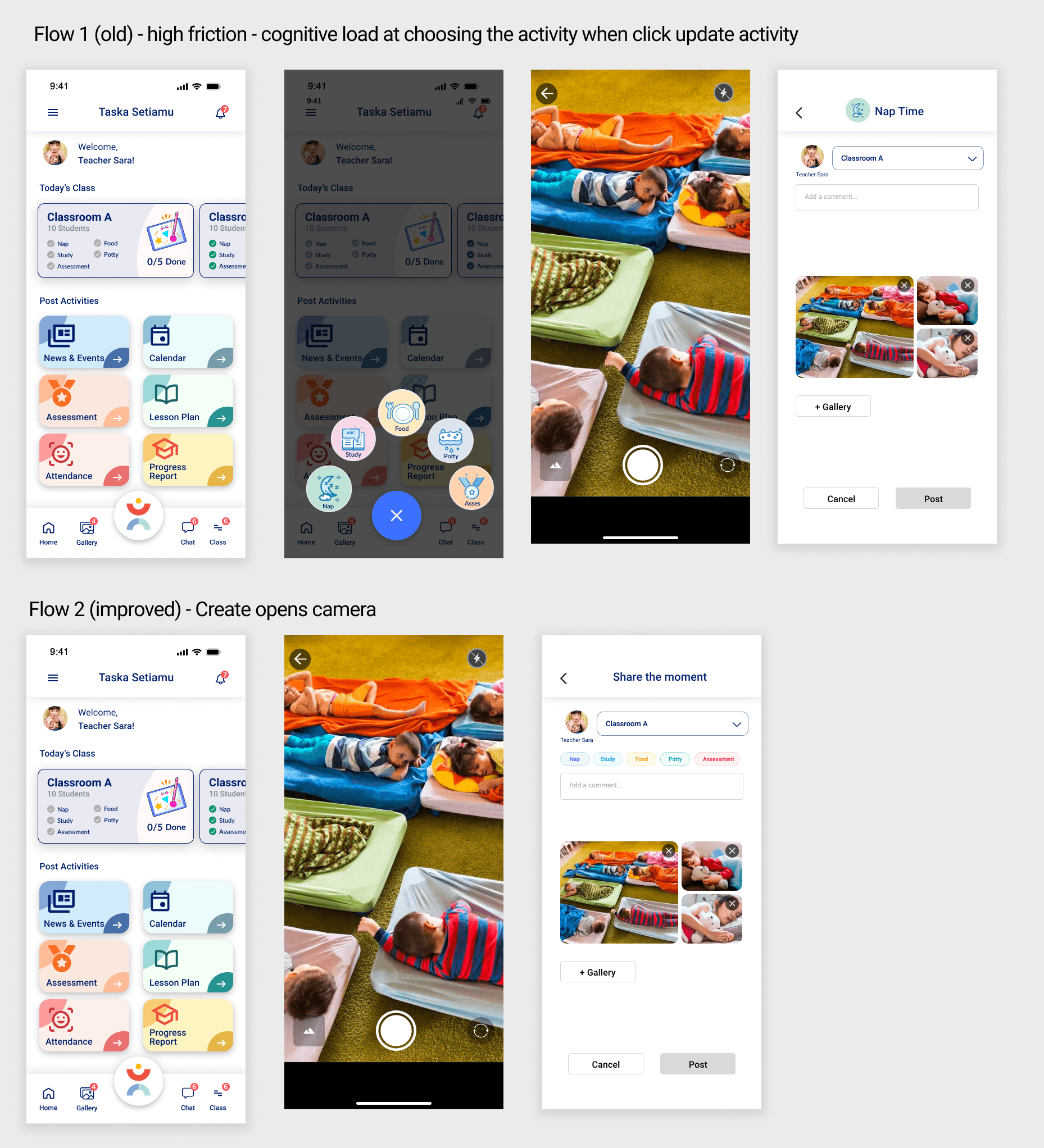
In the initial flow, teachers had to tap an “CTA” button and first choose the activity type before they could upload a photo. This created unnecessary cognitive load and slowed them down, especially in a busy classroom environment.
To improve this, the redesigned flow is so that tapping “CTA” opens the camera immediately. Teachers can quickly take a photo first, and only after that are prompted to add details like activity type, status, or classroom.
This reduced friction by prioritizing the primary action — capturing the moment — and moved secondary decisions to later in the flow. As a result, posting became faster and more intuitive for teachers.
UX/UI & Interaction Design
Created the full app experience: dashboards, messaging, schedules, and reports
Crafted smooth interactions and micro-animations for clarity and delight